 Baldur's Gate 3
Baldur's Gate 3 Steam Deck Performance Guide and Best Settings
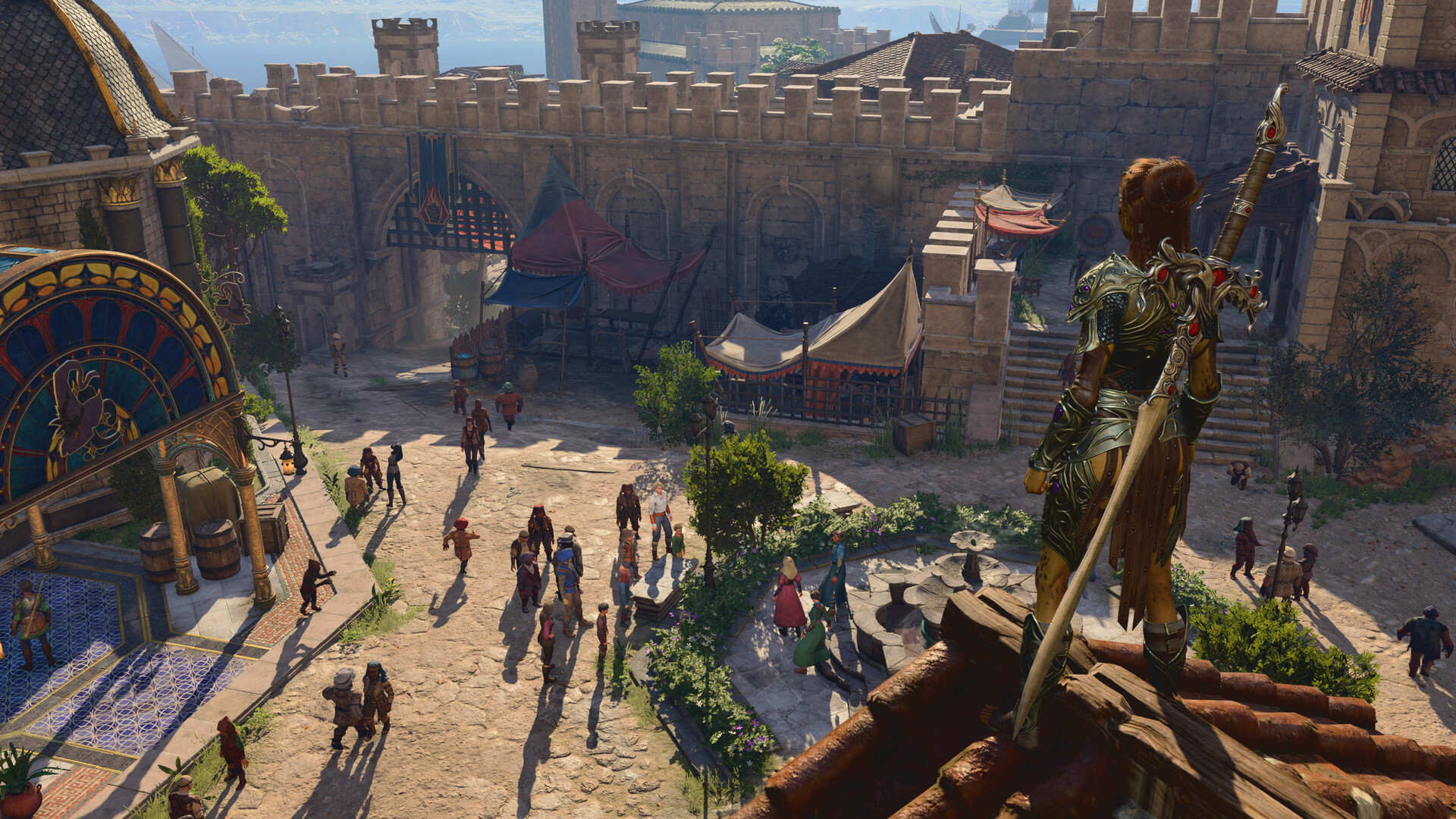
Quick Answer: Baldur’s Gate 3 is Steam Deck verified, but the best results usually come from capping the game at 30 FPS and tuning handheld system and in-game settings for stability, especially in crowded city areas.
Baldur’s Gate 3 is fully rated as “verified” for Steam Deck, but it does not run at its best on the default configuration, so this Baldur's Gate 3 Steam Deck Performance Guide and Best Settings focuses on the settings that actually improve stability, reduce stutter, and make the handheld feel much smoother in play Source.
What the Steam Deck Verified status means for BG3
Steam Deck Verified means Baldur’s Gate 3 is supported well enough on Valve’s handheld to be playable without major compatibility barriers, but verified does not mean optimal performance out of the box. In practical terms, BG3 can launch, save, and run on the Deck, yet it still benefits from careful tuning because the game is a large party-based RPG with dense encounters, spells, and CPU-heavy city scenes Source.
The important thing to understand is that “verified” is a compatibility label, not a promise of locked frame pacing. That distinction matters in areas such as:
- the wilderness around the Riverside Teahouse and Emerald Grove, where combat effects can already tax the system,
- the Goblin Camp, where crowded AI and particle effects can cause swings,
- the Lower City and the titular Baldur’s Gate, where the Deck is most likely to buckle even if your settings are conservative Source.
If you are trying to decide whether to play BG3 on handheld at all, verified status is the first green light. If you are trying to make the game feel good on the Deck, the real question is not “can it run?” but “which settings keep the frame rate steady enough to feel responsive?” That is why the best practice is to build a handheld profile around low-to-medium expectations and treat the heaviest city scenes as special cases rather than the benchmark for every area.
Concrete limits to keep in mind
Baldur’s Gate 3 on Steam Deck is still a full RPG with large environments, long play sessions, and lots of simulation happening under the hood. The performance guide is therefore about compromise, not miracle settings. In the current state of Deck play, the most useful “limit” is not a hard technical cutoff but a practical one: if you push for higher frame rates, the game tends to lose consistency before it gains visual smoothness.
That is why most recommended profiles land on:
- a 30 FPS cap,
- reduced graphics workload,
- a willingness to lower settings further in crowded urban zones,
- and a handheld-first mindset instead of chasing desktop-style visuals Source.
For comparison, BG3’s broad scope is also reflected in how long it can take to finish: HowLongToBeat reports roughly 72.7 hours for the main story and 180.05 hours for completion Source. That kind of campaign length makes comfort and consistency on Steam Deck more valuable than squeezing out one more graphical notch.
Where to change the key Steam Deck settings
The best Baldur’s Gate 3 Steam Deck Performance Guide and Best Settings starts with the Steam Deck’s own Quick Access menu, because that is where the most important performance controls live. While the game is running, press the … button on the right side of the Deck to open the quick access panel, then go to the Performance section marked by the battery icon Source.
From there, create a game-specific profile for Baldur’s Gate 3 rather than changing every game on the system. That matters because BG3 benefits from a more aggressive setup than many lighter titles, and a global profile can make other games look or feel worse than necessary.
Best system-level baseline
- Open the Quick Access Menu with the … button.
- Go to Performance.
- Set a per-game profile for Baldur’s Gate 3.
- Cap the frame rate at 30 FPS.
- Keep expectations focused on stability rather than raw speed Source.
That 30 FPS cap is the most consistent recommendation because it gives the Deck more headroom for busy encounters, dialogue-heavy hubs, and spell effects. In a game like BG3, where turn-based combat and exploration both benefit from a steady frame time, a stable 30 is usually preferable to a fluctuating 40 or 45 that only looks better in easy scenes.
If you want a simple rule of thumb: set the handheld profile first, then tune the game’s own graphics menu to match it. A lot of players reverse that order, spend time in the graphics menu lowering everything, and still end up with stutter because the Deck is trying to run too freely in the background. The handheld limiter is the anchor.
What to prioritize if you only change three things
If you want the fastest path to a good handheld profile, these are the three changes that usually matter most:
- Frame rate cap: 30 FPS
- System profile: dedicated to Baldur’s Gate 3
- Graphics settings: reduced to favor clarity and stability over detail Source
You can still experiment after that, but these three are the foundation. They help avoid the most common misread: players assume poor performance is caused by one “bad” graphics option when the bigger issue is overall workload balance on the handheld.

You might also like
- Baldur's Gate 3 Is There Crossplay Updated 8/3/2023 Crossplay for is currently unavailable Beginner Guide
- Baldur's Gate 3 Find a way into Wyrm's Rock fortress Beginner Guide
- Baldur's Gate 3 All Interactive Maps and Locations Beginner Guide
- Baldur's Gate 3 Rescue the Gnome and Stop the Windmill Beginner Guide
- Baldur's Gate 3 Seek Protection from the Shadow Curse: Beginner Guide
Best in-game graphics settings for Steam Deck
The best in-game settings for Baldur’s Gate 3 on Steam Deck are the ones that reduce expensive visual effects without making the image unusable, and the strongest recommendation is to treat the Deck as a handheld first and a laptop replacement second. BG3 is visually rich, but many of its prettiest features are also the ones most likely to tax the system in active scenes.
A useful way to think about this is that the Deck is happiest when the image is simpler but consistent. The game still looks good because BG3’s art direction, character models, and dialogue presentation do a lot of the visual work even when the options are lowered. That is one reason a tuned handheld profile often feels better than a messy high-detail profile that stutters during combat.
Recommended graphics priorities
- Keep the game aimed at stable performance rather than maximum visual fidelity.
- Reduce settings that increase particle load, shadows, and crowd stress.
- Favor a crisp but lightweight presentation in dialogue, inventory screens, and exploration.
- Expect to lower settings further when entering dense city zones like the Lower City Source.
A strong BG3 Steam Deck setup usually follows this logic:
- Lower the most expensive effects first.
- Keep readability high enough for item icons, spell targeting, and dialogue text.
- Avoid pushing image quality so far down that menus and exploration become uncomfortable.
- Re-evaluate settings when you move from wilderness to dense urban content.
Example-heavy comparison of practical settings goals
| Setting goal | What it improves | When it helps most | When to avoid it |
|---|---|---|---|
| 30 FPS cap | Frame pacing and battery-friendly consistency | Nearly everywhere on Steam Deck | If you are testing visuals in empty scenes and want a temporary higher cap |
| Lower city-ready preset | Reduces drops in Baldur’s Gate and other crowded zones | Lower City, docks, market-heavy areas | If you are only in quiet camp scenes or uncrowded wilderness |
| Handheld-first tuning | Overall stability and comfort | Long play sessions, dock-free play | If you are using external display and want desktop-style visuals |
The exact in-game preset names can shift with updates, but the rule stays the same: aim for stability-first tuning and reserve any quality improvements for options that do not hit the CPU or GPU too hard.
Why the city is the real stress test
IGN specifically notes that bigger crowded areas like the titular Baldur’s Gate can make the Steam Deck buckle no matter what settings you use Source. That is not a sign that your profile is broken. It is simply the point where the game’s simulation, crowd density, and environmental complexity stack up enough to expose the handheld’s limits.
That means your settings should be judged in two contexts:
- normal exploration and combat,
- and heavy crowd scenes where dips are expected.
If your setup feels smooth in the Emerald Grove, decent in the Goblin Camp, and only struggles in the Lower City, that is generally a successful Steam Deck profile rather than a failed one. This is why many players should skip “ultra-for-everything” thinking and instead build a profile around the hardest area they actually plan to play.
Best use cases for the Steam Deck version
Baldur’s Gate 3 on Steam Deck is best used for comfortable, portable play where you value flexibility, relaxed pacing, and the ability to continue a long campaign away from a desktop setup. The game’s turn-based structure helps a lot here, because unlike a twitch shooter, BG3 can tolerate a lower frame rate better as long as the frame pacing stays stable.
That makes the Deck a very good fit for:
- exploring low-stress areas at your own pace,
- managing inventory and party builds in shorter bursts,
- handling turn-based encounters where reaction speed is less important,
- and continuing a marathon campaign without committing to a full desktop session Source.
Best scenarios for Steam Deck play
- Camp management: leveling companions, changing spells, sorting loot, and planning the next quest.
- Exploration: moving through the Risen Road, Emerald Grove, or other less crowded spaces.
- Turn-based combat: encounters where you can think through every action instead of chasing high refresh rate responsiveness.
- Travel play: anywhere you want a self-contained RPG session without a monitor Source.
BG3’s structure naturally supports handheld play because a lot of the game is decision-making rather than fast aiming. Conversations with Astarion, Lae’zel, or Karlach do not demand a high frame rate to be enjoyable. Likewise, inventory sorting, camp rests, and spell preparation are all tasks where clarity matters more than raw performance. If you spend time on these systems, the Steam Deck can feel surprisingly well matched to the game.
When the Deck is especially satisfying
The Steam Deck version shines most when you are in control of the pace. A turn-based battle against goblins, a quiet dialogue chain with a companion, or a side quest that involves reading, planning, and exploring all suit the device well. In those moments, a locked 30 FPS is usually enough to make the game feel polished.
That is also why the handheld can be a very good “second seat” for an existing BG3 player. If you already have a PC save, the Deck becomes a flexible way to keep progressing rather than a replacement for every type of session. You can do management-heavy play on the Deck and save your most visually intense or technically demanding moments for a desktop rig if you have one.
When to skip or replace the Steam Deck setup
You should skip the Steam Deck as your main BG3 platform, or replace handheld play with a desktop or docked setup, when you care more about visual smoothness in crowded scenes than about portability. That is especially true if the areas you enjoy most are late-game urban hubs, complex combat encounters with many spell effects, or long sessions where you want a bigger screen and easier reading.
The Deck is also a weaker choice if you dislike any compromise in image quality. Even with optimized settings, BG3 on handheld is still a compromise build, and there is no setting combination that turns every part of the game into a high-end desktop experience.
Good reasons to choose something else
- You want higher-than-30-FPS consistency in the busiest scenes.
- You mainly play in dense regions like Baldur’s Gate itself.
- You prefer a larger screen for reading tooltips, dialogue, and inventory details.
- You are sensitive to dips, spikes, or handheld battery tradeoffs.
- You already have a more powerful PC and use the Deck only occasionally Source.
A useful comparison is to think about what you want from the play session. If you are planning to spend an evening in Wyrm’s Rock, the Lower City, or a packed quest hub, you may be happier on a docked setup or desktop. If you are continuing a companion quest, clearing a few fights, or handling camp decisions, the Deck remains an excellent way to play.
When you should not chase extra visuals
Sometimes players see stable performance in an empty area and assume they can raise settings safely. That is often a trap in BG3. A nice-looking outdoors scene does not guarantee a smooth city run, and a settings profile that feels fine in the wilderness may become frustrating once the game loads more NPCs, more effects, and more background simulation.
So if your goal is to play through the whole campaign on Steam Deck, do not build around your best-case area. Build around the parts that actually stress the game:
- the market-heavy sections of the city,
- complex battles with summons and surface effects,
- and places where many NPCs are active at once.
That approach gives you fewer surprises and less need to constantly retune the game as you move between acts.
Troubleshooting common Steam Deck performance issues
Most Baldur’s Gate 3 Steam Deck performance problems come from frame caps, crowded scenes, or settings that are simply too ambitious for handheld hardware, and the good news is that the fixes are usually straightforward. If the game feels worse than expected, the first assumption should be that your profile needs tightening, not that the game is broken.
Common misreads and what they usually mean
- “The game is verified, so it should be smooth everywhere.” Verified only means supported; it does not remove performance pressure in crowded scenes Source.
- “Low graphics settings should fix everything.” If the frame cap or system profile is too loose, low graphics alone will not solve pacing issues.
- “The problem is only the city.” The city is the hardest case, but poor tuning can also show up in combat, cutscenes, or busy camp areas.
- “More FPS is always better.” On Steam Deck, a stable 30 FPS often feels better than an unstable higher target.
- “A small stutter means my install is bad.” Often it just means the game entered a heavier scene or needs tighter handheld limits.
Fixes to try in order
- Set a 30 FPS cap in the Deck’s Performance menu if you have not already.
- Use a per-game Steam Deck profile for Baldur’s Gate 3 instead of a global profile.
- Lower the most expensive graphics options before touching readability-focused settings.
- Test in a busy area like the Lower City rather than judging the profile in an empty zone.
- Adjust again only if needed, using the hardest area as your benchmark Source.
If performance feels fine outside of cities but falls apart in the busiest zones, that is expected behavior rather than a failure. In that case, the practical fix is not to obsess over every setting; it is to accept a handheld ceiling and optimize around it. If performance is bad everywhere, then your cap or profile is probably not set correctly, or you may have more than one conflicting performance setting active.
What to check before you blame the game
Before you assume Baldur’s Gate 3 itself is the problem, double-check:
- whether the Deck profile is actually tied to BG3,
- whether the frame cap is in place,
- whether another performance adjustment is overriding your intended baseline,
- and whether you are testing in one of the most demanding areas rather than a calmer zone.
This step matters because BG3 naturally varies a lot by location. A “bad” result in the Lower City can still coexist with a perfectly acceptable profile everywhere else. The best troubleshooting habit is to separate a true settings problem from a normal worst-case scene.
Related systems that affect handheld performance
BG3 performance on Steam Deck is affected by more than graphics sliders, because the game’s structure, areas, and party setup all contribute to the workload. That is why a good handheld profile is really a whole-system decision: it is part graphics choice, part frame cap, and part expectation management.
One major related system is the game’s large-area design. Baldur’s Gate 3 constantly shifts between camp, wilderness, combat, and dense social hubs. Those transitions matter because the same profile may feel excellent in one zone and merely adequate in another. That is normal for a game with a broad scope and a huge amount of content.
Systems worth thinking about alongside performance
- Party size and combat density: More active characters, summons, and enemies generally mean more to render and simulate.
- Crowd-heavy locations: The Lower City and other packed urban spaces are the hardest stress tests.
- Dialogue and inventory use: These are usually fine on Deck, but text clarity matters more when the display is smaller.
- Long campaign structure: A game with roughly 72.7 hours for the main story and 180.05 hours for completion is something many players will revisit often, so comfort matters Source.
Another useful point is that BG3 has an enormous amount of community attention and ongoing play. The Steam review summary currently reads “Overwhelmingly Positive” (96.8% positive) across 849191 reviews Source. That broad player base is one reason so many Steam Deck tuning tips exist: plenty of people want to keep this game portable without giving up too much comfort.
Handy comparison of playstyle fit
| Playstyle | Steam Deck fit | Why it works | Why it may struggle |
|---|---|---|---|
| Questing and exploration | Strong | Lower intensity, slower pace, easy to pause | Large zones can still vary in load |
| Turn-based combat | Strong | Frame rate matters less than consistency | Big spell effects and summons can stress the Deck |
| Dense city exploration | Mixed | Portable convenience is still useful | Crowds and simulation can cause drops |
| Visual showcase play | Weakest | The game remains readable | Deck is not ideal if you want max fidelity |
For most players, the smartest approach is to use the Steam Deck for what it does best: portability, long-form play, and flexible session length. Then, if needed, reserve the most demanding parts of the game for a more powerful system. That division of labor keeps the handheld pleasant instead of frustrating.
FAQ
Is Baldur’s Gate 3 actually good on Steam Deck?
Yes, Baldur’s Gate 3 is good on Steam Deck if you expect handheld-style performance and tune it properly. The verified status supports playability, but the best experience comes from a stable 30 FPS cap and sensible graphics reductions.
What is the single most important setting for BG3 on Steam Deck?
The single most important setting is the 30 FPS cap in the Steam Deck Performance menu. It usually gives the most noticeable improvement in smoothness and consistency.
Why does the game slow down in Baldur’s Gate city areas?
The city is crowded, busy, and simulation-heavy, so the Deck has more work to do even if your settings are already low. That is one of the most common stress points in Baldur’s Gate 3 handheld play.
Should I lower every graphics setting to the minimum?
Not necessarily. You usually want to reduce the costly effects first and keep the image readable for text, inventory, and spell targeting. Minimum everywhere can make the game uglier without solving all performance issues.
Is verified status enough to skip tweaking settings?
No. Verified means the game is supported on Steam Deck, not that it is perfectly optimized by default. You still get better results by creating a per-game profile and tuning BG3 specifically.
Does the Deck handle long BG3 sessions well?
Yes, as long as you are comfortable with handheld constraints. Since Baldur’s Gate 3 is a long game and much of it is turn-based, the Deck works well for extended play if you prioritize stability over maximum fidelity.
Sources
- https://www.ign.com/wikis/baldurs-gate-3/Steam_Deck_Performance_Guide_and_Best_Settings
- https://www.destructoid.com/best-baldurs-gate-3-steam-deck-settings/
- https://howlongtobeat.com/?q=bg3
- https://store.steampowered.com/app/1086940/
See also
- Baldur's Gate 3 Best Character Build for Beginners: Easy Oath of Devotion Paladin
- Baldur's Gate 3 How to Solve the Silent Library Puzzle
- Baldur's Gate 3 Get Help from Healer Nettie Beginner Guide
- Baldur's Gate 3 Wyll Origin Character Details: Beginner Guide for New Players
- Baldur's Gate 3 Ask the Goblin Priestess for Help: Beginner Guide
- Baldur's Gate 3 Silver Sword of the Astral Plane Beginner Guide
- Baldur's Gate 3 Update 5 Patch Notes Beginner Guide
- Baldur's Gate 3 PS5 Best Character Build: Oath of Vengeance Paladin
- Baldur's Gate 3 How to Respec Your Character: Beginner Guide
- Baldur's Gate 3 A New Character Introduced Beginner Guide
Screenshots



Reviewed by
BG3 Hub Editorial
Expertise: Editorial team behind BG3 Hub. Content is compiled from official patch notes, community wikis, and playthrough notes, then reviewed and updated on schedule.
Sources
Related Guides
🔥 Popular Guides
Baldur's Gate 3 A Home for Every Working Baldurian Reference Guide
Where to find, read, and understand A Home for Every Working Baldurian in BG3, plus its lore role and best uses.
Baldur's Gate 3 Steam Deck Update: Patch Notes Explained
Hotfix #34 adds native Steam Deck support to Baldur's Gate 3, improving stability, loading, and handheld performance.
Baldur's Gate 3 Classes Patch 8: Patch Notes Explained
Patch 8 adds a new subclass for every BG3 class, plus Photo Mode and new spells. Learn who wins, who loses, and what to do now.
Baldur's Gate 3 best baldurs gate 3 build guide
The best Baldur’s Gate 3 build guide for strong early-game power, safe scaling, gear priorities, counters, and budget-to-endgame upgrades.
📋 Patch Notes & Updates
🛠️ Popular Tools
Frequently Asked Questions
Quick answers from the guide · click a question to expand.
Is Baldur’s Gate 3 actually good on Steam Deck?
Yes, Baldur’s Gate 3 is good on Steam Deck if you expect handheld-style performance and tune it properly. The verified status supports playability, but the best experience comes from a stable 30 FPS cap and sensible graphics reductions.
What is the single most important setting for BG3 on Steam Deck?
The single most important setting is the 30 FPS cap in the Steam Deck Performance menu. It usually gives the most noticeable improvement in smoothness and consistency.
Why does the game slow down in Baldur’s Gate city areas?
The city is crowded, busy, and simulation-heavy, so the Deck has more work to do even if your settings are already low. That is one of the most common stress points in Baldur’s Gate 3 handheld play.
Should I lower every graphics setting to the minimum?
Not necessarily. You usually want to reduce the costly effects first and keep the image readable for text, inventory, and spell targeting. Minimum everywhere can make the game uglier without solving all performance issues.
Is verified status enough to skip tweaking settings?
No. Verified means the game is supported on Steam Deck, not that it is perfectly optimized by default. You still get better results by creating a per-game profile and tuning BG3 specifically.
Does the Deck handle long BG3 sessions well?
Yes, as long as you are comfortable with handheld constraints. Since Baldur’s Gate 3 is a long game and much of it is turn-based, the Deck works well for extended play if you prioritize stability over maximum fidelity.
Was this guide helpful?
Rate this guide so we can improve it.
Share your own tip
Found something not in the guide? Submit it below — our editors review every tip before publishing. No account required.