 Baldur's Gate 3
Baldur's Gate 3 character creation guide ui explained
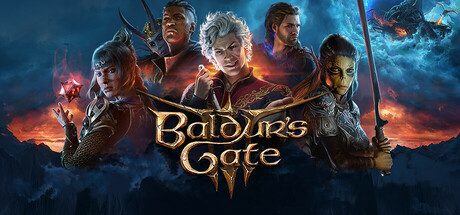
Quick Answer: The Baldur's Gate 3 character creation guide ui explained is the new-game screen where you choose an Origin or Custom character, then lock in race, background, class, and 27-point ability scores before the adventure begins.
What the character creation UI actually lets you do
The Baldur's Gate 3 character creation guide ui explained is the full setup screen that appears when you start a new game, and it is where you decide whether you are playing an Origin character or building a Custom character from scratch. That screen is not cosmetic: it determines your starting story path, your permanent race and body type, your background, and your initial class setup before you ever reach the Nautiloid. The game presents this interface at the start of a new run, and the choice you make there can shape both dialogue and mechanics for the entire playthrough. According to the character creation documentation, you can either select an Origin character or create a custom one, and that branching choice is the first major decision in the UI Source.
Core definition and in-game limits
Character creation in Baldur’s Gate 3 is the screen where you choose a character’s identity, power base, and role in the party, but several parts of that decision are permanent. Race and body type cannot be changed after character creation, and race-specific picks such as a High Elf’s cantrip are also locked in once you leave the menu Source. Custom characters also choose a background, and that background cannot be changed later either Source.
The key restrictions matter because the UI is not just about aesthetics. It is a one-time allocation point for story, combat utility, and roleplay hooks. A player can freely compare options in the screen, but once the save begins, some selections are set for the rest of the campaign. That makes the interface especially important for characters that depend on race bonuses or background-triggered inspirations.
What the main branches mean
The interface starts by asking whether you want an Origin character or a Custom character. Origins are premade characters with a built-in path that ties into the plot of the game, and each one comes with a unique quest and dialogue structure; some origins also have unique features or equipment Source. In practical terms, this means the UI is doing more than selecting a model. It is selecting a narrative identity.
A Custom character, by contrast, gives you the full build process: race, background, class, and ability allocation. If you want the broadest control over your party role, this is the branch to use. If you want a tightly authored narrative experience, an Origin can be more appealing. The same menu supports both approaches, which is why players often read it as a build planner rather than a simple avatar creator.
Examples of what the screen decides
- A High Elf Custom character can pick a race-specific cantrip during creation, and that choice is permanent once saved Source.
- An Origin character such as Shadowheart or Astarion comes with a fixed story identity and preselected background, which cannot be changed in the creation UI Source.
- A Custom character such as a Human Fighter or a Drow Wizard uses the same screen, but the race and background choices will shape later checks, dialogue, and combat value in very different ways Source.
If you are comparing this to the rest of the game’s systems, the character creator is the only place where narrative origin, mechanical identity, and long-term build structure all intersect in one menu. That is why so many players treat it as the most important screen in the game. For broader build planning, see the related race breakdown guide, class guide, and background guide.
How the interface is structured
The Baldur's Gate 3 character creation guide ui explained becomes much easier to use once you understand that the menu is organized into a sequence of locked-in decisions rather than one giant pool of choices. The player typically moves through origin selection, race, appearance, class, background, ability scores, and related details, with the structure reflecting the game’s Dungeons & Dragons roots. The official style of the system is broad and flexible, but the underlying UI is still heavily rules-based: it is designed to prevent invalid combinations while making each choice visible before confirmation Source.
Main sections you will see
The exact layout can vary slightly depending on interface scaling and platform, but the major sections are consistent:
- Origin selection: choose a premade Origin or Custom character.
- Race selection: decide lineage and associated racial features.
- Body type and appearance: set visual presentation and physical frame.
- Background: choose the story origin for a Custom character.
- Class and abilities: define combat role and stat distribution.
- Final review: confirm the character before starting the run.
That structure is the reason players sometimes misread the screen as “just character cosmetics.” In reality, only part of the UI is visual. Race, background, class, and ability scores all affect gameplay. The game’s own creation framework includes classes such as Barbarian, Bard, Cleric, Druid, Fighter, Monk, Paladin, Ranger, Rogue, Sorcerer, Warlock, and Wizard; backgrounds such as Acolyte, Charlatan, Criminal, Entertainer, Folk Hero, Guild Artisan, Haunted One, Noble, Outlander, Sage, Soldier, and Urchin; and races including Dragonborn, Drow, Dwarf, Elf, Githyanki, Gnome, Half-Elf, Half-Orc, Halfling, Human, and Tiefling Source.
Why some choices are presented earlier than others
The UI front-loads origin and race because those are the most identity-defining and least reversible choices. It then moves toward class and ability scores because those are the most directly tied to optimization. That order is useful because it lets you commit to the fantasy first and tune the numbers second. For example, a player building a Githyanki Battle Master-style Fighter will care about martial synergy, whereas a player building a Tiefling Warlock may be more interested in dialogue flavor and spell options. The menu keeps both players on the same path, but it supports different priorities.
The same logic applies to appearance. Visual customization is important, but it sits alongside mechanical choices rather than replacing them. If you are planning a second or third playthrough, this is where the UI becomes especially valuable because it supports experimenting with new combinations without needing to learn another menu or subsystem.
Common places where players get confused
Players often misread the creator because the screen shows many categories at once. Common confusion points include:
- Thinking race can be changed later through normal gameplay.
- Assuming a background is only roleplay and has no mechanical consequences.
- Overlooking that some Origin characters come with fixed identities, not blank-slate build freedom.
- Treating ability scores like flexible slider values rather than point-bought resources.
Those misreads matter because Baldur’s Gate 3 is not a game where you can casually correct early choices without cost. The creation UI exists to make the long-term consequences visible up front. If you want to compare those choices in detail, see the related origin character guide, custom character build guide, and ability score guide.
You might also like
- Baldur's Gate 3 how save arabella daughter mother father thief locke komira kagha snake tieflings
- Baldur's Gate 3 action economy explained regular standard bonus free reactions all actions
- Baldur's Gate 3 losiir laezel origin character role death loot good why
- Baldur's Gate 3 Is There Crossplay Updated 8/3/2023 Crossplay for is currently unavailable Beginner Guide
- Baldur's Gate 3 List of features and items that interact with unarmed strikes
Ability scores, point buy, and the important hard rules
Baldur's Gate 3 character creation uses a point buy system with 27 points available to spend on ability scores, and that is the most important numerical rule in the creator Source. Instead of rolling randomly, you distribute a fixed budget across your attributes, which means the UI is partly a puzzle about tradeoffs. If you want a strong spellcaster, you usually need to prioritize the relevant casting stat; if you want a durable frontliner, you typically need to protect Constitution and the attributes tied to your class.
What the 27-point system means in practice
The 27-point budget forces you to decide what your character is built to do, because no build can be excellent at everything. A Fighter who spreads points too widely may feel weaker in combat than intended, while a Wizard who neglects key spellcasting stats can struggle in fights that should be straightforward. The important thing is that the UI does not reward “balanced” characters in the abstract; it rewards characters with clear priorities.
The system is especially noticeable when comparing archetypes:
- Melee-focused characters want enough durability and attack reliability to function in close combat.
- Spellcasters want their spellcasting attribute to support save DCs and attack rolls.
- Skill specialists may value Dexterity or Charisma depending on their class and planned role.
- Hybrid builds need to be deliberate or they risk becoming inefficient.
Because the system is point buy, it is better to think in terms of purpose than in terms of maximum totals. The UI is essentially asking, “What will this character do most of the time?”
Hard limits that matter more than new players expect
Several permanent decisions are made in the creator, and they are not easy to undo later:
- Race cannot be changed after character creation Source.
- Body type cannot be changed after character creation Source.
- Race-related choices, such as a High Elf cantrip, are locked once chosen Source.
- Custom character backgrounds cannot be changed after character creation Source.
- Origin characters use preselected backgrounds that cannot be changed Source.
These limits are why the character creator is best approached like a build planner rather than a cosmetic editor. If you want freedom to improvise later, you should still understand which decisions are irreversible at the start.
Concrete examples of good point-buy thinking
- A Wizard who wants reliable spellcasting should prioritize the ability score that supports their spell DCs instead of splitting points across every attribute.
- A Fighter can afford to emphasize physical stats and survivability, because the class benefits from a simpler combat profile.
- A Bard often wants a mix of social power and combat usefulness, which makes the creation screen especially sensitive to how you allocate the 27 points.
- A Ranger or Rogue can become easier to play if Dexterity is treated as a core stat rather than an afterthought.
The best use of the point-buy UI is to build around the role you intend to play in the party. The worst use is to spread points thinly because every number looks important. That is a common trap in Baldur’s Gate 3 character creation guide ui explained discussions, because the game is flexible enough to invite experimentation but strict enough to punish vague builds.
When the point-buy screen is worth revisiting conceptually
Even if you do not respec immediately, it helps to revisit your stat plan before committing. The following are signs you may need to rethink your build:
- You chose a class for dialogue flavor but ignored its combat stat priorities.
- You selected a race for appearance without considering its permanent racial features.
- You made a “generalist” spread and now realize your class wants a focused stat line.
- You are building around a specific companion role and accidentally duplicated it.
For related build planning, see the ability score guide, class guide, and multiclass guide.
Where to find it, how to unlock it, and what you can trigger there
The character creation UI appears automatically when you start a new game in Baldur’s Gate 3, so there is no separate unlock requirement or quest trigger Source. Once you begin a fresh run, the game presents the screen immediately, letting you choose between an Origin character and a Custom character before the adventure begins Source. In other words, this is not a hidden menu buried behind progression; it is the opening gate to every new save.
How to reach it
You access the creator by starting a new game from the main menu. At that point, the game opens directly into the character creation flow, and the first major branch is origin selection Source. The game then walks you through the rest of the setup.
That means the UI is always available at run start, but the particular options available inside it depend on the mode you choose. If you select an Origin character, you are selecting a premade identity with its own story path, unique quest, and dialogue setup Source. If you select Custom, you are building a blank-slate hero and choosing their background yourself Source.
What gets triggered by your choices
The creation screen is where several downstream systems begin to matter:
- Origin-specific story paths are activated for premade characters Source.
- Unique dialogue hooks may appear based on Origin choice Source.
- Racial features are established and become part of the character’s permanent profile Source.
- Background-related inspiration and roleplay outcomes are set for Custom characters Source.
- Class-based combat identity is defined before the opening tutorial sequence even begins.
This is why the creator is often discussed alongside companion routing, dialogue planning, and combat composition. A character built in this UI is already “live” in multiple systems before Act 1 starts.
Examples of triggering choices correctly
- Choosing The Dark Urge gives you a distinct Origin-style experience with its own path rather than a standard Custom blank slate Source.
- Choosing Custom lets you pick a background such as Criminal, Acolyte, or Sage, each of which remains fixed after creation Source.
- Choosing Elf or High Elf locks in racial features, and a High Elf’s cantrip choice is part of that permanent setup Source.
If you are using the UI for a heavily roleplay-driven run, think of this step as deciding your character’s long-term dialogue and story identity. If you are using it for optimization, think of it as selecting the framework that will support your later gear, feats, and class growth. For more on those downstream systems, see the related feat guide, respec guide, and companion guide.
Best uses of the creator and when to skip or replace choices
The character creation screen is best used as a build-defining tool, and it should be approached differently depending on whether you want story specificity, mechanical efficiency, or replay value. The Baldur's Gate 3 character creation guide ui explained is most useful when you know what kind of character fantasy you want to preserve for the whole campaign, because the UI contains several irreversible decisions and a lot of tempting but inefficient novelty picks Source. In practice, the creator is strongest when you use it to align narrative identity with party role.
Best use cases
The creator is especially valuable for the following playstyles:
- First-run roleplaying builds that want a strong class identity and dialogue flavor.
- Party gap-filling builds where you intentionally cover a missing role such as frontline, support, or social checks.
- Themed runs built around a race/class/background combination.
- Companion-light runs where your main character needs to contribute across combat and conversation.
- Origin playthroughs for players who want authored character arcs and unique quest content Source.
For example, a Bard Custom character can support dialogue-heavy campaigns better than many other classes, while a Fighter can provide a straightforward physical anchor, and a Wizard can carry utility and control options in a more planning-intensive run. Those are all valid ways to make the creator work for you rather than against you.
When to skip a choice or keep it conservative
Sometimes the best choice in the creator is not the flashiest one. Conservative choices are usually better if:
- You are unsure whether a race-specific feature will matter to your build.
- You want a class with simple stat demands.
- You are planning to respec later and only need a functional starting point.
- You are playing an Origin character for story reasons, so customization flexibility is less important.
A common example is choosing a race for flavor and then regretting the locked-in feature later. Since race and body type cannot be changed after character creation, a flashy pick can become a long-term annoyance if it does not fit your intended playstyle Source. Likewise, choosing an Origin character because you like the writing is a good reason to do so, even if you would otherwise prefer a Custom build. The UI supports that tradeoff well.
When to replace the plan entirely
It is worth scrapping a character creation plan when your build starts feeling forced before the game even begins. That usually means one of three things:
- The race you picked was chosen for aesthetics only and now conflicts with the class you wanted.
- The background you chose does not support your intended roleplay or skill pattern.
- The Origin character you selected is interesting narratively but does not match the gameplay loop you want.
In those cases, restarting is often more satisfying than trying to rescue a poor foundation. Baldur’s Gate 3 is long enough that starting over with a better-built character is usually worthwhile. On the time side, HowLongToBeat reports roughly 73.1 hours for the main story, 116.74 hours with extras, and 181.09 hours for completion Source. Because the game is so expansive, the long-term value of a good creation choice is high; you will spend a lot of time with the character you make there.
Comparison table: when different creator choices make sense
| Choice type | Best for | When to skip |
|---|---|---|
| Origin character | Unique story path, authored dialogue, distinct quest content | If you want a fully custom roleplay concept |
| Custom character | Personalized build, race/background/class control | If you want a fixed narrative identity |
| Conservative race pick | Builds that prioritize reliable mechanics | If the race’s unique feature is central to your concept |
| Specialized background | Skill checks and inspiration synergy | If you care more about lore than gameplay triggers |
For sibling guidance, see the origin guide, custom character guide, and race breakdown.
Common misreads and troubleshooting at the creator screen
The character creation UI causes problems mainly when players assume something is reversible or purely cosmetic, and that is where most troubleshooting starts. The biggest misread in Baldur’s Gate 3 is treating the creator like a visual editor when it is actually a permanent build gate. Since race, body type, and certain race-related features cannot be changed after creation, the safest fix is to avoid finalizing a setup you do not understand Source.
Frequent mistakes players make
- Treating race as cosmetic only: race provides unique racial features, not just appearance Source.
- Assuming backgrounds can be swapped later: custom character backgrounds are locked after creation Source.
- Ignoring the distinction between Origin and Custom: Origins are not blank-slate avatars, but premade characters with unique quests and dialogue Source.
- Overvaluing symmetry in stats: the 27-point system rewards focused builds, not evenly spread attributes Source.
- Choosing a race for one specific feature without considering the rest of the build: a single racial bonus rarely carries a weak class plan on its own.
How to recover from bad decisions
If you realize your build is off before leaving the creator, the simplest recovery is to back out and reselect the relevant category. If you have already started the save, the long-term answer depends on what went wrong:
- If the problem is class or stats, plan around later respec options rather than forcing the original concept.
- If the problem is race or background, consider restarting if those choices are central to your roleplay or build.
- If the problem is selecting an Origin character you do not enjoy controlling, switch to Custom on the next run.
Because the creator sits at the start of the game, mistakes made there have a larger impact than mistakes made mid-campaign. That is especially true for runs built around dialogue specificity or race-locked mechanics.
Examples of misread situations
- You chose High Elf for appearance and only later realized you did not want the permanent cantrip choice.
- You picked Origin: Astarion expecting full custom freedom, then found the character’s identity and story path are fixed.
- You created a Custom character with a background that does not fit your intended skill checks and now want to swap it, but cannot Source.
If you run into any of these cases, the main fix is planning more carefully before confirming. A companion or respec system may help later, but it will not undo everything the creator commits. For related troubleshooting, see the respec guide, race guide, and origin character guide.
Related systems and the best sibling guides to open next
The Baldur's Gate 3 character creation guide ui explained connects directly to a handful of sibling systems, and understanding those links makes the creator much easier to use well. The menu does not exist in isolation: it determines the starting conditions for your class, race, background, and origin, which then affect combat, dialogue, and long-term progression. If you want to optimize the creator, the most useful follow-up guides are the ones that explain those branches in detail.
Nearest sibling guides
- Race breakdown guide — use this to compare race-specific features before committing to a permanent choice.
- Class guide — use this to match your creator decisions to a combat role.
- Background guide — use this to understand skill and roleplay implications.
- Origin character guide — use this to compare premade story characters.
- Ability score guide — use this to make the 27-point system work for your build.
- Respec guide — use this to understand what can and cannot be adjusted later.
- Companion guide — use this to avoid duplicating roles your party already covers.
Why these links matter
These sibling topics are the practical next step because the creator is really a bundle of linked systems. For example, race selection influences permanent features and body type; class selection influences combat jobs; background selection affects story and skill identity; and origin selection can lock you into a unique narrative route Source. If you read only the creator screen without those companion guides, you can still make a functional character, but you may not understand why one choice feels better than another in actual play.
A good example is a player choosing Drow for dialogue flavor, Rogue for stealth utility, and Criminal for background synergy. Each of those decisions is individually understandable, but the build becomes much clearer if you also know what the race guide says about racial features, what the class guide says about skill priorities, and what the background guide says about inspiration triggers. The same is true for a Human Fighter or a Tiefling Bard; the creator screen only becomes fully readable when you connect it to the systems it feeds.
Practical reading order
If you are planning a new run, the most efficient order is usually:
- Check the class guide to decide your combat role.
- Read the race breakdown guide for permanent features and limitations.
- Review the background guide to match skill checks and roleplay.
- Compare the origin character guide if you want a premade story path.
- Use the ability score guide once your concept is set.
- Keep the respec guide in reserve for later adjustments.
That order mirrors the actual importance of the creator UI: story identity first, permanent traits second, and numbers last. It is the easiest way to make sure the Baldur's Gate 3 character creation guide ui explained stays useful beyond the opening menu.
Sources
- https://bg3.wiki/wiki/Character_Creation
- https://www.thegamer.com/baldurs-gate-3-character-creation-guide/
- https://game8.co/games/BG3/archives/417745
- https://howlongtobeat.com/?q=bg3
See also
- Baldur's Gate 3 where find missing shipment risen road act one
- Baldur's Gate 3 baldurs gate 4 origin characters return good why
- Baldur's Gate 3 best actions the classes that can use them
- Baldur's Gate 3 what to do act one companions goblins skills
- Baldur's Gate 3 how get ritual dagger location perks characters best
- Baldur's Gate 3 dungeons and dragons spells players expect work same: what actually changes
- Baldur's Gate 3 dark urge romance reactions astarion laezel shadowheart
- Baldur's Gate 3 next update patch 2 origin character epilogues explained
- Baldur's Gate 3 patch 6 legendary actions dror ragzlin karniss: Patch Notes Explained
- Baldur's Gate 3 Legion of Bees: Mighty Teleport class action

审核
BG3 Hub Editorial
专长: Editorial team behind BG3 Hub. Content is compiled from official patch notes, community wikis, and playthrough notes, then reviewed and updated on schedule.
数据来源
🔥 正在爆的词
博德之门 3 职业 Tier List
博德之门 3 职业 Tier List,包含 S/A/B 排名、对局提示、方法论和补丁说明。
博德之门 3 种族 tier list
博德之门 3 种族 tier list,包含 S/A/B 排名、职业联动、情境反转,以及适用于各种构筑的实用种族推荐。
博德之门3 玩家梯度榜:BG3最佳Build排行
S、A 和 B 级的 Baldur’s Gate 3 配装排行,附带对局说明、常见误区和 Honour 模式技巧。
博德之门 3 baldurs gate 3 2026 构筑:Tavern Brawler 投掷流 Build
一份实用的 BG3 2026 构筑指南,聚焦 Tavern Brawler、Berserker Frenzy、属性、装备、克制思路和预算替换。
📋 版本更新解读
🛠️ 热门工具
这篇攻略有帮助吗?
请为攻略评分,帮助我们持续改进。
Share your own tip
Found something not in the guide? Submit it below — our editors review every tip before publishing. No account required.